AI Kitchen Design: How to Redesign Your Kitchen Without a Contractor
Use AI to redesign your kitchen in under 60 seconds. Browse 100+ design styles, get photorealistic results, and skip the $15K contractor bill. Free to try.
The average kitchen remodel costs $15,000 to $50,000 and takes 6 to 12 weeks. Most of that time is spent deciding what the finished kitchen should look like — picking cabinets, countertops, backsplash, hardware, and hoping it all works together. AI kitchen design eliminates the guessing phase entirely. Upload a photo of your current kitchen, choose a style, and get a photorealistic redesign in under 60 seconds.
What is AI kitchen design? It's a tool that takes a photo of your existing kitchen and generates a photorealistic image showing how it would look in a different style — modern, farmhouse, Japandi, Scandinavian, or any of 100+ options. You get a visual blueprint before spending a dollar on materials or labor.
Why Kitchens Are the Hardest Room to Design
Kitchens have more fixed elements than any other room. Cabinets, countertops, appliances, backsplash, flooring, lighting, hardware — each one interacts with every other element. Swap the countertop material and suddenly the backsplash clashes. Change cabinet color and the hardware looks wrong.
Professional kitchen designers charge $150 to $500 per hour because the coordination is genuinely complex. They're managing material compatibility, workflow ergonomics, and visual cohesion simultaneously. That expertise is real — but most homeowners don't need a full design engagement. They need to see their options before committing to a direction.
That's exactly what AI kitchen design tools do. They show you the outcome before you start the project.
How AI Kitchen Redesign Works
The process takes three steps and about 60 seconds total.
1. Upload a photo of your kitchen. Snap a picture with your phone or use an existing photo. The AI works with any angle, but wider shots that capture more of the room produce the best results. Include cabinets, countertops, and at least one appliance for the most accurate transformation.
2. Choose your design style. This is where it gets interesting. NewInterior AI offers over 100 design styles — not the 10 to 20 you'll find on most competing tools. For kitchens, popular choices include modern, farmhouse, Scandinavian, Japandi, Mediterranean, and craftsman. You can also use style fusion to blend two aesthetics, like industrial-farmhouse or modern-rustic.
3. Get your redesign. The AI generates a photorealistic image showing your kitchen transformed into the chosen style. It preserves your room's layout, dimensions, and natural lighting while changing surfaces, materials, fixtures, and styling. The result is specific to your space — not a generic rendering.
NewInterior AI uses a latest-generation AI model for generation that produces noticeably more photorealistic results than what most competing kitchen design apps deliver. The difference is most visible in kitchen renderings where material texture matters: granite vs. quartz countertops, brushed nickel vs. matte black hardware, natural stone vs. ceramic tile. Our AI renders these distinctions clearly enough to inform real purchasing decisions.
5 Kitchen Styles That Work With AI Redesign
Not all styles translate equally well to kitchen spaces. These five consistently produce strong results because they have distinct, recognizable visual signatures that the AI renders clearly.
Modern Kitchen
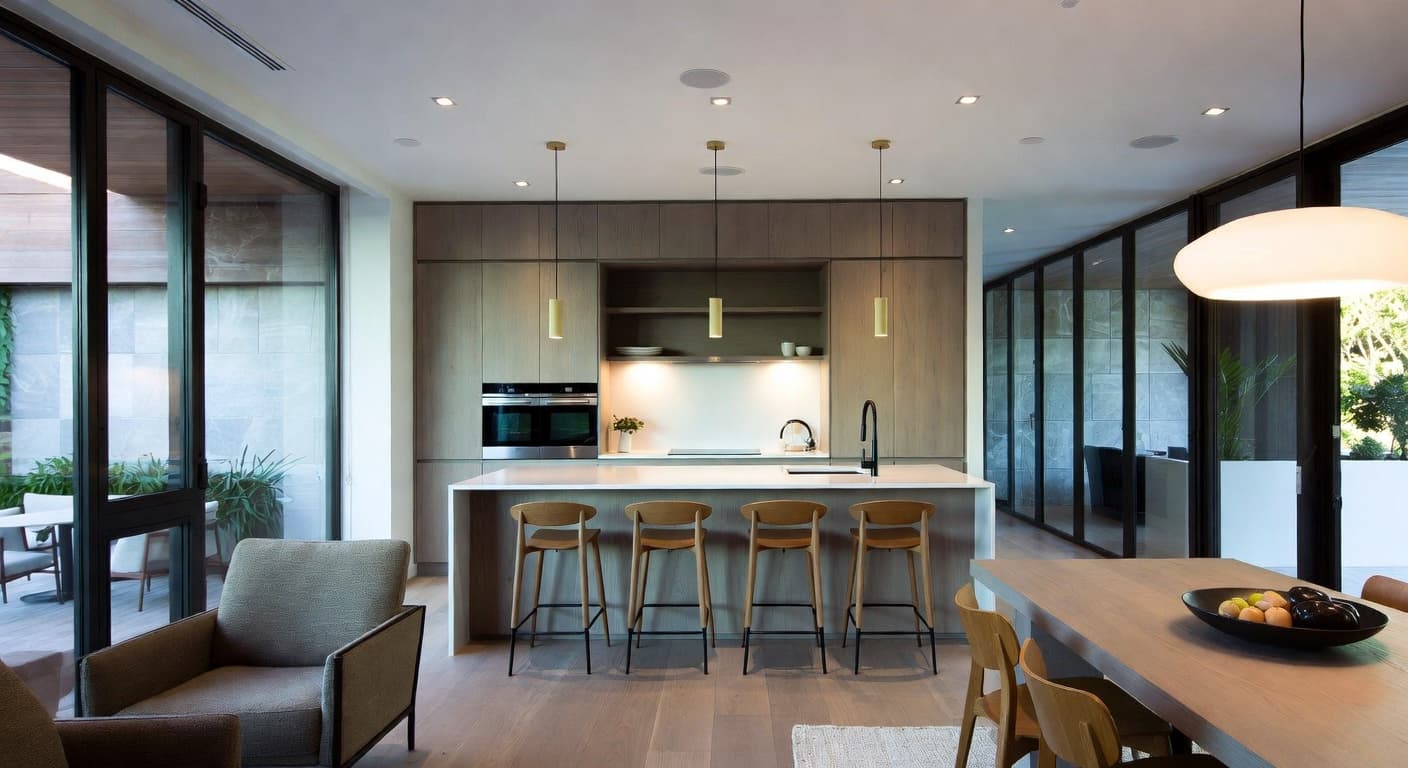
Clean lines, flat-panel cabinets, integrated appliances, and a restrained material palette. Modern kitchen design works particularly well with AI because the style relies on precision and consistency — things the AI handles better than organic, irregular textures.
Key elements the AI captures: handleless cabinets, waterfall countertops, pendant lighting in geometric shapes, neutral color palette with one accent material.
Farmhouse Kitchen
Warm wood tones, open shelving, apron-front sinks, and vintage-inspired hardware. Farmhouse kitchens are among the most-requested AI kitchen redesigns because the style is approachable and works with a wide range of existing kitchen layouts.
Key elements the AI captures: shaker-style cabinets, exposed wood beams, subway tile backsplash, warm lighting fixtures, open shelving with curated display items.
Japandi Kitchen
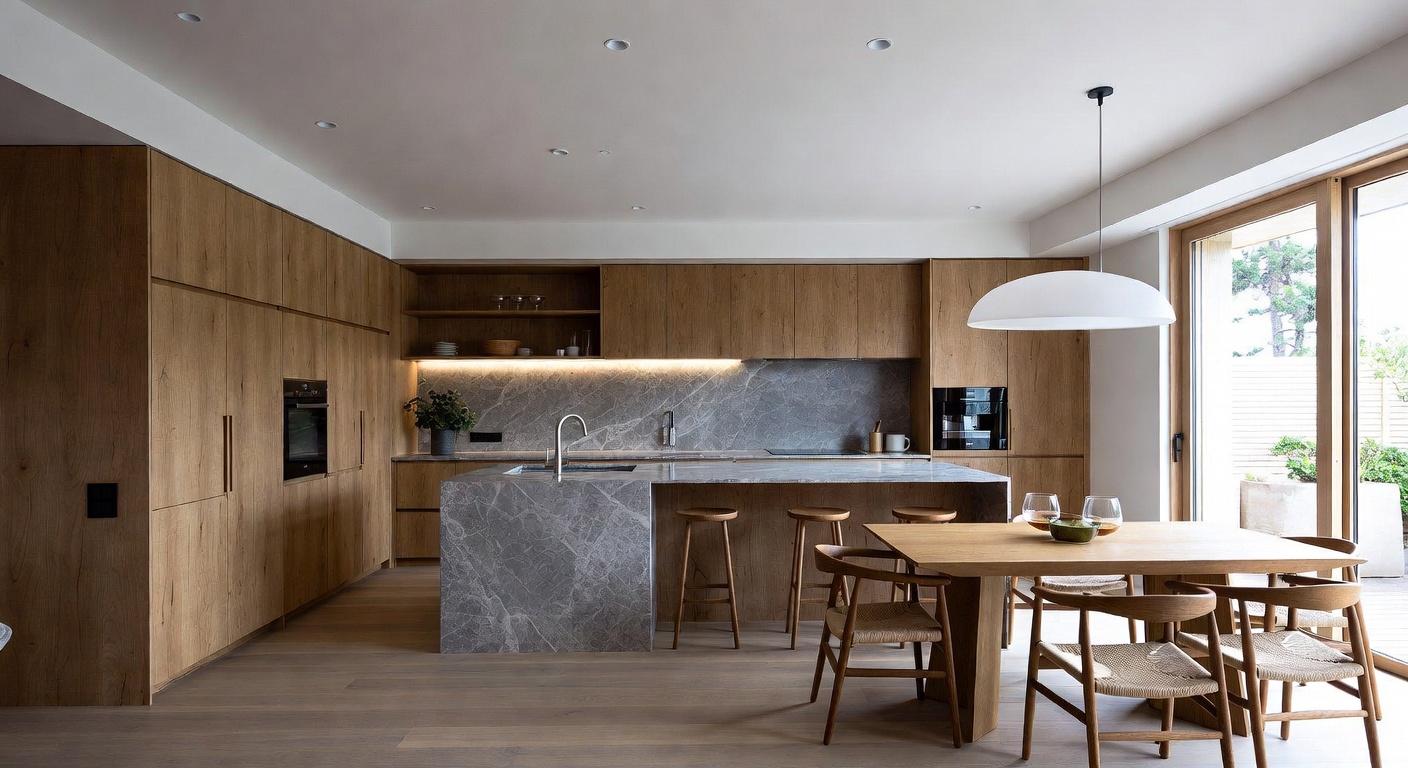
The fusion of Japanese minimalism and Scandinavian functionality produces kitchens that feel calm and intentional. Japandi style strips away visual noise while keeping the space warm through natural wood and organic textures.
Key elements the AI captures: light wood cabinetry, minimal hardware, natural stone countertops, simple ceramic vessels, balanced negative space.
Scandinavian Kitchen
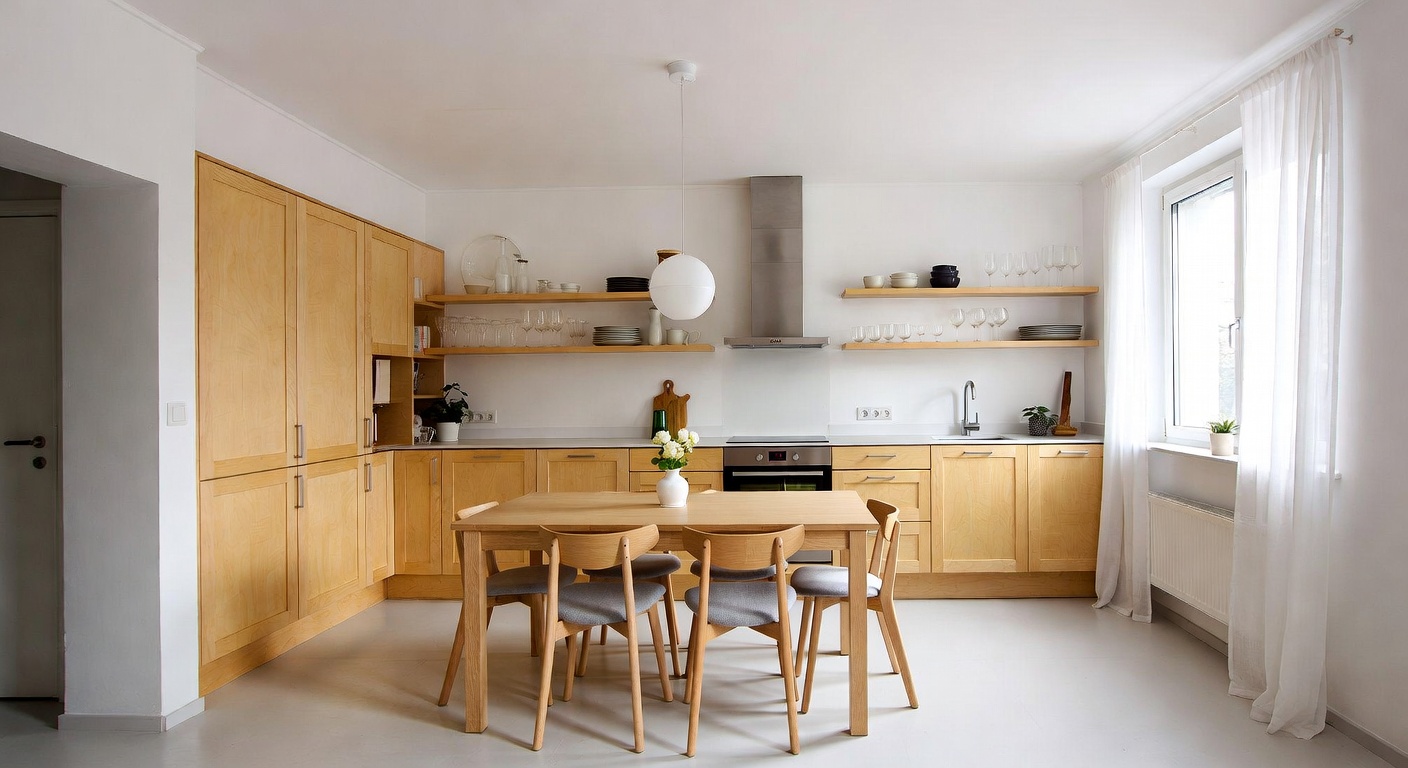
Bright, airy, and functional. Scandinavian kitchen design maximizes natural light with white and light-toned surfaces, then adds warmth through wood accents and greenery. This style works exceptionally well for smaller kitchens because the light palette creates a sense of openness.
Key elements the AI captures: white cabinets with wood accents, light countertops, simple pendant lights, plants, and functional storage solutions visible on the counter.
Mediterranean Kitchen
Textured walls, warm terra cotta tones, arched elements, and hand-painted tile. Mediterranean kitchens have a character that's hard to replicate without seeing it applied to your specific space — which makes AI visualization particularly useful here.
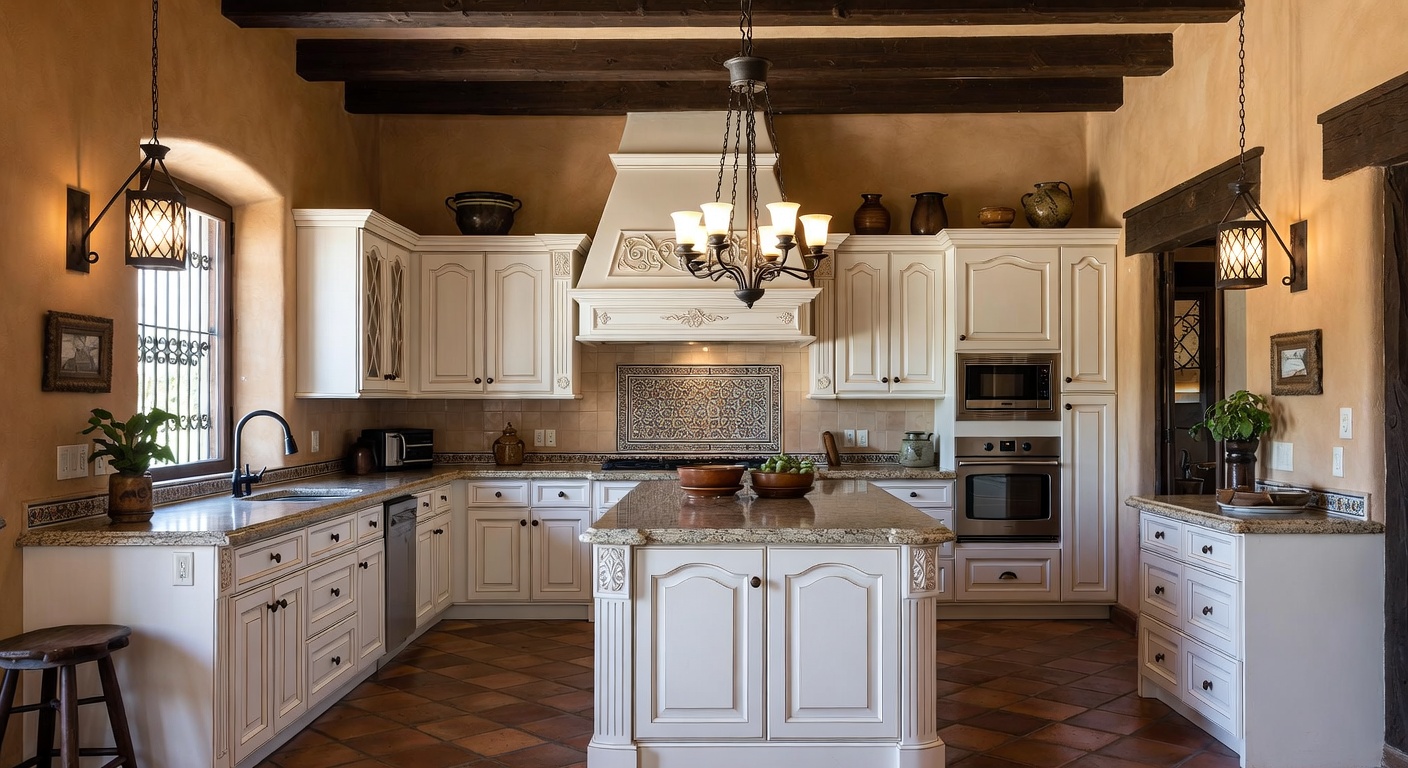
Key elements the AI captures: ornate tile patterns, arched openings, warm-toned cabinetry, iron hardware, terra cotta and stone surfaces.
Open Kitchen vs. Closed Kitchen: Which to Visualize
One of the most common kitchen renovation questions is whether to open the kitchen to adjacent living space. An open kitchen removes walls between the kitchen and dining or living area, creating a connected flow. An eat-in kitchen keeps the cooking area self-contained with its own dining space.
AI kitchen design helps you evaluate both options without demolition. Upload your current kitchen and generate redesigns in both configurations. You'll see how the style carries from kitchen to living area in an open plan, or how a closed kitchen can become a cozy, self-contained space with the right design treatment.
This is where AI saves the most money. Knocking down a wall and discovering you don't like the result costs $5,000 to $15,000 to undo. Seeing it in a rendering costs nothing.
Kitchen Layout Decisions AI Can Help You Visualize
Beyond style changes, AI kitchen design helps with layout-level decisions that are expensive to reverse.
Island vs. peninsula. Adding a kitchen island changes traffic flow, storage, and how the space functions for cooking and socializing. AI shows you whether your kitchen has the clearance for a full island or whether a peninsula connected to an existing counter makes more sense visually.
Cabinet configuration. Upper cabinets vs. open shelving is one of the most debated kitchen decisions. Open shelving creates an airy, modern feel but requires disciplined organization. AI can show you both versions of your kitchen side by side so you can judge which treatment works with your ceiling height, window placement, and overall style.
Backsplash extent. Full-height backsplash up to the ceiling looks dramatically different from a standard 4-inch backsplash. The material cost difference is significant. Seeing both versions rendered in your actual kitchen helps you decide whether the visual impact justifies the extra material budget.
Lighting plan. Under-cabinet task lighting, pendant lights over an island, recessed ceiling lights — the combination matters as much as the individual fixtures. AI renderings show how different lighting setups affect the overall mood of the kitchen, from bright and functional to warm and atmospheric.
What AI Kitchen Design Costs vs. Traditional Alternatives
| Approach | Typical Cost | Timeline | What You Get |
|---|---|---|---|
| AI kitchen design | Free to start, credits from $15 | 60 seconds per design | Photorealistic rendering of your kitchen in any style |
| Online interior designer | $500 - $2,000 | 1-3 weeks | Moodboard, material selections, shopping list |
| In-person kitchen designer | $2,000 - $10,000 | 2-6 weeks | Full plans, elevations, material specs |
| Full kitchen remodel | $15,000 - $50,000+ | 6-12 weeks | Completed renovation |
The smart approach is layered. Start with AI to narrow your style direction from 100 options to 2 or 3. Then bring those renderings to a contractor or designer who can spec materials and handle permitting. You skip the most expensive part of the design process — the exploration phase — and go straight to execution.
Tips for Getting Better Kitchen AI Results
Photograph the whole kitchen. Wide-angle shots that include ceiling, floor, and at least two walls give the AI more context. A tight shot of just the countertop produces a partial redesign.
Shoot during daylight. Natural light helps the AI understand your room's actual lighting conditions. It will adjust the redesign to work with your window placement and light direction.
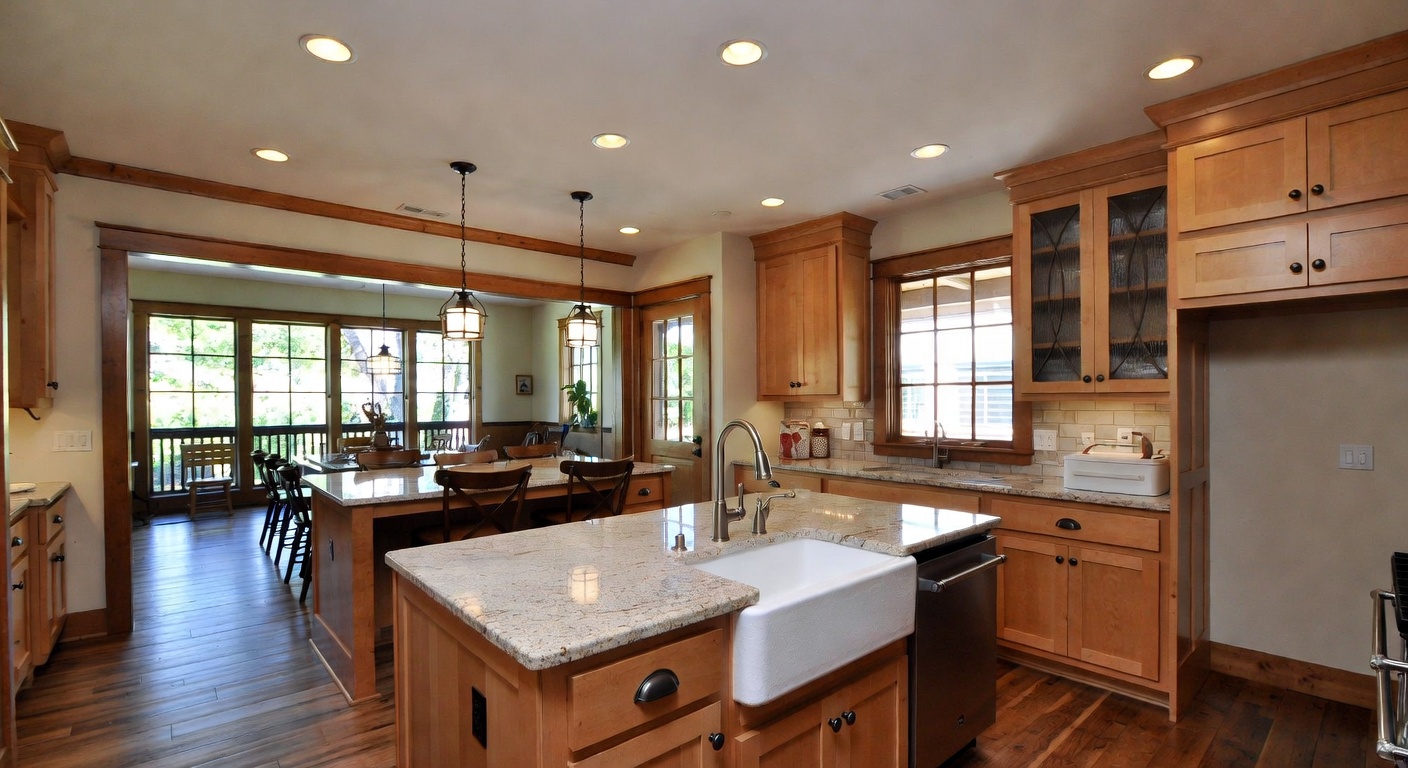
Try multiple styles before committing. This is the core advantage of AI over traditional design. Running your kitchen through 10 different styles takes 10 minutes. Getting 10 different designer renderings would take weeks and cost thousands.
Use advanced options. Beyond style selection, you can specify preferred materials (marble, butcher block, concrete), color palettes, and lighting mood. These parameters push the AI beyond generic style templates into designs tailored to your taste.
Explore the full design process. For whole-home projects where you want the kitchen to match adjacent rooms, the AI interior design tool lets you design multiple rooms in the same style. A living room, dining room, and kitchen in coordinated Japandi creates a cohesive flow that's hard to achieve room by room.
From AI Rendering to Actual Renovation
An AI kitchen redesign is a visualization tool, not a construction document. Here's how to bridge the gap between the image and the finished kitchen.
1. Generate 3-5 variations. Try your kitchen in different styles and with different material options. Save the ones you like.
2. Extract the design language. Look at the AI output and identify specific elements: cabinet style, countertop material, backsplash pattern, hardware finish, lighting type. These become your shopping list of decisions.
3. Take the rendering to professionals. Contractors and kitchen designers work faster when you show up with a clear visual direction. Instead of "I want something modern," you hand them a photorealistic image of your kitchen in modern style and say "this."
4. Match real products. Use the renderings as reference when shopping for materials. The AI shows you that white oak cabinets with a honed marble counter work in your space — now you can shop for those specific materials with confidence.
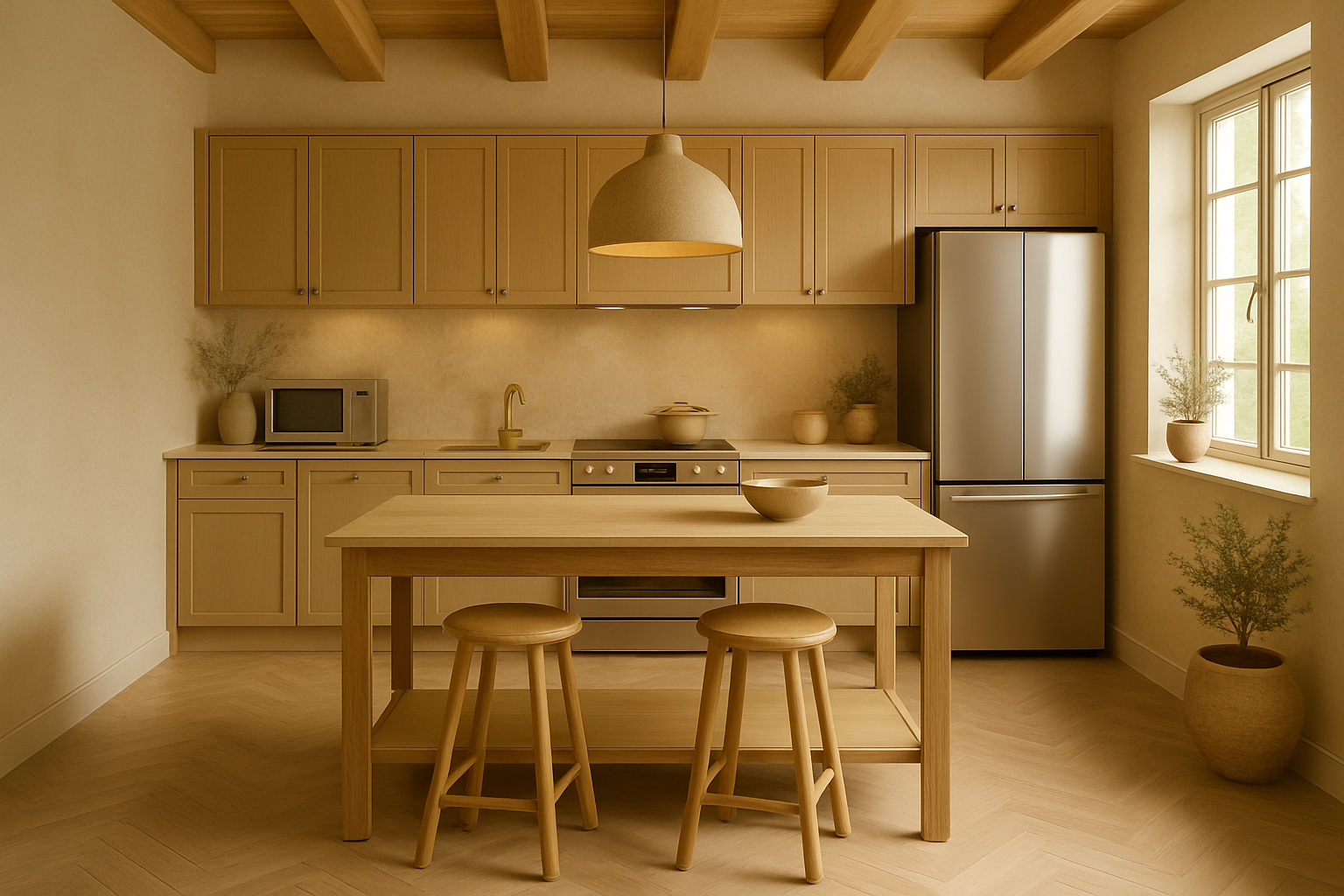
5. Iterate as needed. If the contractor suggests changes due to budget or structural constraints, regenerate the AI design with those adjustments. It takes 60 seconds to see how a different countertop material affects the overall look.
Frequently Asked Questions
Can AI design a kitchen from scratch?
AI kitchen design tools work best with an existing photo as a starting point. They transform what you have into a new style while preserving your room's layout and dimensions. For new construction with no existing kitchen to photograph, working with an architect or kitchen designer for the initial layout is still the better path.
How accurate are AI kitchen renderings?
The renderings are photorealistic and show realistic material textures, lighting, and proportions. They're accurate enough to make style and material decisions, but they're not construction documents. Exact measurements, plumbing locations, and electrical specifications still require professional planning.
Is AI kitchen design better than Pinterest for inspiration?
Fundamentally different. Pinterest shows you other people's kitchens. AI kitchen design shows you your kitchen in a different style. That distinction matters because a farmhouse kitchen in a loft apartment looks completely different from a farmhouse kitchen in a suburban home. AI gives you space-specific results.
How many styles can I try on my kitchen?
NewInterior AI offers over 100 design styles. You can try every one on your kitchen photo — there's no limit to the number of variations. Most users generate 5 to 15 versions before identifying their preferred direction.
Do I still need a contractor after using AI design?
For the actual renovation work — yes. AI handles the design visualization. Plumbing, electrical, cabinetry installation, and permitting still require licensed professionals. The AI output serves as a communication tool between you and your contractor, not a replacement for their expertise.
Start Designing Your Kitchen
AI kitchen design compresses weeks of design exploration into minutes. Upload a photo, test dozens of styles, and walk into your contractor meeting with a clear visual direction instead of a vague idea.
Try NewInterior AI free and see your kitchen transformed.
Ready to Transform Your Space?
Try NewInterior AI and get professional interior designs in seconds.
Get Started Free